
How to effectively integrate analytics tools with WordPress?
4 lutego 2026

4 lutego 2026
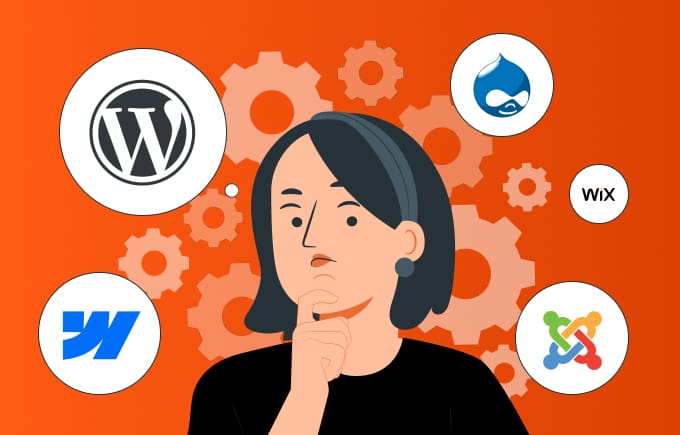
CMS is an acronym for Content Management System, which is software that enables creating, editing, and organizing content on websites. CMS combines two modules: Content Management Application (CMA), which allows managing content without programming knowledge, and Content Delivery Application (CDA), which automatically translates this content into website code. Therefore, CMS enables site owners to independently manage their website without the need to engage programmers.
Several popular types stand out in the world of CMS:
WordPress has been the undisputed leader in the CMS market for years. Statistics for 2024 show that WordPress CMS powers over 43% of all websites worldwide. Every day, more than 500 new WordPress-based sites are registered. Moreover, the platform serves both small blogs and the websites of the world’s largest brands, such as Time Magazine, BBC, Disney Books, Meta Newsroom, and Sony Music. WordPress’s popularity and trustworthiness are undeniable, which is reflected in the numbers.
The WordPress repository contains over 58,000 plugins and more than 8,000 themes, giving users enormous possibilities to customize their sites to individual needs. Thanks to this flexibility and constantly growing community, WordPress maintains its leadership position, offering solutions tailored to the needs of both beginner users and large companies. Moreover, WordPress is a content management system (CMS) with global reach, available and translated into over 160 languages, which enables exceptionally wide reach for this platform and makes it accessible to users from different parts of the world.
It’s worth mentioning that the second most popular content management system – Shopify has a market share of only 4.4%. This is merely 1/10 the size of WordPress. Wix powers only 2% of all websites, while other popular CMS systems have below 2% market share, such as Squarespace – 2.1%, Joomla – 1.8%, Drupal – 1.2%, and Magento – 0.81%.
WordPress CMS offers a simple, graphical user interface (GUI) that enables easy adding, editing, and deleting of content. Thanks to this, even people without technical experience can successfully manage their website.
Using WordPress eliminates the need to program every change on the site. There’s no need to hire a programmer for daily modifications, which reduces costs associated with website maintenance.
Flexibility and scalability
Most open-source CMS platforms offer a wide range of plugins and extensions that allow customizing the site to business needs. The ability to add new features, such as online stores, contact forms, or payment system integrations, makes WordPress a very flexible tool.
WordPress was designed with SEO in mind and is equipped with tools supporting search engine optimization. Thanks to plugins such as Yoast SEO, users can easily customize content, metadata, or tags, improving the visibility of their websites in Google search results.
One of the main reasons for WordPress’s success is its huge and engaged community. Thanks to millions of users and developers from around the world who regularly create and share new plugins, themes, and updates, WordPress is constantly evolving. Additionally, support available on forums and social media makes it easier to solve problems and add new features, which makes working with this CMS simple and effective.
CMS platforms, especially the most popular ones, are often targets of cyberattacks. A large number of plugins and themes can pose a risk if they are not regularly updated. The more plugins installed on a site, the greater the risk of security vulnerabilities that can be exploited for attacks. Instead of relying on countless plugins that increase vulnerability to cyberattacks, it’s better to limit their number and focus on more solid, manually created solutions.
CMS platforms, especially the most popular ones, are often targets of cyberattacks. A large number of plugins and themes can pose a risk if they are not regularly updated. The more plugins installed on a site, the greater the risk of security vulnerabilities that can be exploited for attacks. Instead of relying on countless plugins that increase vulnerability to cyberattacks, it’s better to limit their number and focus on more solid, manually created solutions.
Although WordPress offers great flexibility, it is not always the ideal solution for very advanced and custom projects. Configuring complex features may require advanced technical knowledge and additional code modifications, which increases costs and extends implementation time.
However, problems related to security and site performance on WordPress can be effectively resolved if the project is overseen by someone with appropriate experience. An expert will not only ensure updates but also configure advanced security tools such as firewalls or monitoring systems. Additionally, a specialist is able to optimize code and scripts, removing unnecessary resources, compressing images, and implementing caching techniques that significantly improve page loading speed.
The most important reasons why WordPress CMS enjoys such great popularity are its intuitive, very easy-to-use admin panel and a range of attractive functionalities. Although the main purpose of this system is content management in blog spaces and websites, thanks to the large number of available modules, it is also possible to set up an online store. In this case, the WooCommerce plugin is available. If problems are encountered, you can always count on the support of the huge WordPress community, which actively helps users, or use the rich knowledge base full of tutorials and documentation. However, its popularity means that WordPress sites can be more vulnerable to hacker attacks, and excessive plugin load can slow down the site.
Webflow is an innovative platform for creating and managing websites that enables designing and publishing sites without the need to write code. Thanks to an intuitive drag-and-drop editor, users can create responsive and interactive pages, which makes Webflow an attractive solution for designers who value creative freedom. After editing is complete, Webflow automatically generates the appropriate HTML, CSS, and JavaScript code. Webflow also gives us the ability to optimize the site for performance, which translates into faster page loading and better positions in search results. However, when we want to build a slightly more complex site, problems may arise related to integration with, among others, CRM systems. Moreover, Webflow’s subscription model can generate higher costs in the long term. Nevertheless, for those looking for a modern tool for quickly creating aesthetic pages without coding, Webflow represents an interesting alternative.
Drupal, like WordPress, is a free open-source CMS, except it offers much more advanced features, especially in the area of e-commerce. Thanks to the Commerce plugin, Drupal enables creating advanced sales platforms, surpassing the capabilities of WooCommerce in WordPress, especially in managing large quantities of products. Moreover, Drupal stands out for its high security standards, which makes it more suitable for complex projects. However, its biggest disadvantage is more difficult operation, which often requires expert support, as well as possible performance issues with many modules.
Joomla is also a free open-source content management system used by over 2 million websites. Although less popular than WordPress, it offers a wide range of features thanks to over 10,000 plugins, including extensive e-commerce options. A huge advantage of Joomla is access to a valuable knowledge base that supports users in Polish. However, Joomla is more complicated to operate, which means it works better for more advanced users, and many plugins are paid, which can increase project costs.
Choosing the right CMS depends on your needs and expectations. If you care about easy management of a blog or company website, WordPress may be the best choice due to its ease of use.
Joomla offers greater flexibility but requires more technical knowledge, while Drupal works well for complex projects with high security requirements.
Webflow, on the other hand, is a great option for people who want to quickly create modern and aesthetic pages without the need for manual programming.
Consider whether your priority is independent content management or if you need a dedicated e-commerce solution. Before making a decision, it’s worth carefully thinking through your goals and key features that will help achieve the intended results.

Jakub Jadczak
Founder @ Esumo
In today’s world, a professional website is a business foundation. Presence alone is however not enough – the key is technology that truly supports your goals. To see how we can help your company, we’ll assess during a free consultation.
Fill out the form and we’ll get in touch with you. During a 30-minute, free conversation, we’ll assess what strategy and technology solutions will be most beneficial for you.